Problem Space
Listings items on 1stDibs has been frequently cited as the biggest pain point for sellers (60% of sellers say it takes >15 minutes to create a single listing). In addition to slow load times, the experience suffered from a variety of UX concerns such as unintuitive ordering and a myriad of required steps to complete.
Our team was tasked with redesigning the Item Upload experience to improve overall UX and explore incorporating AI tools to speed up listing time.
UX Improvements
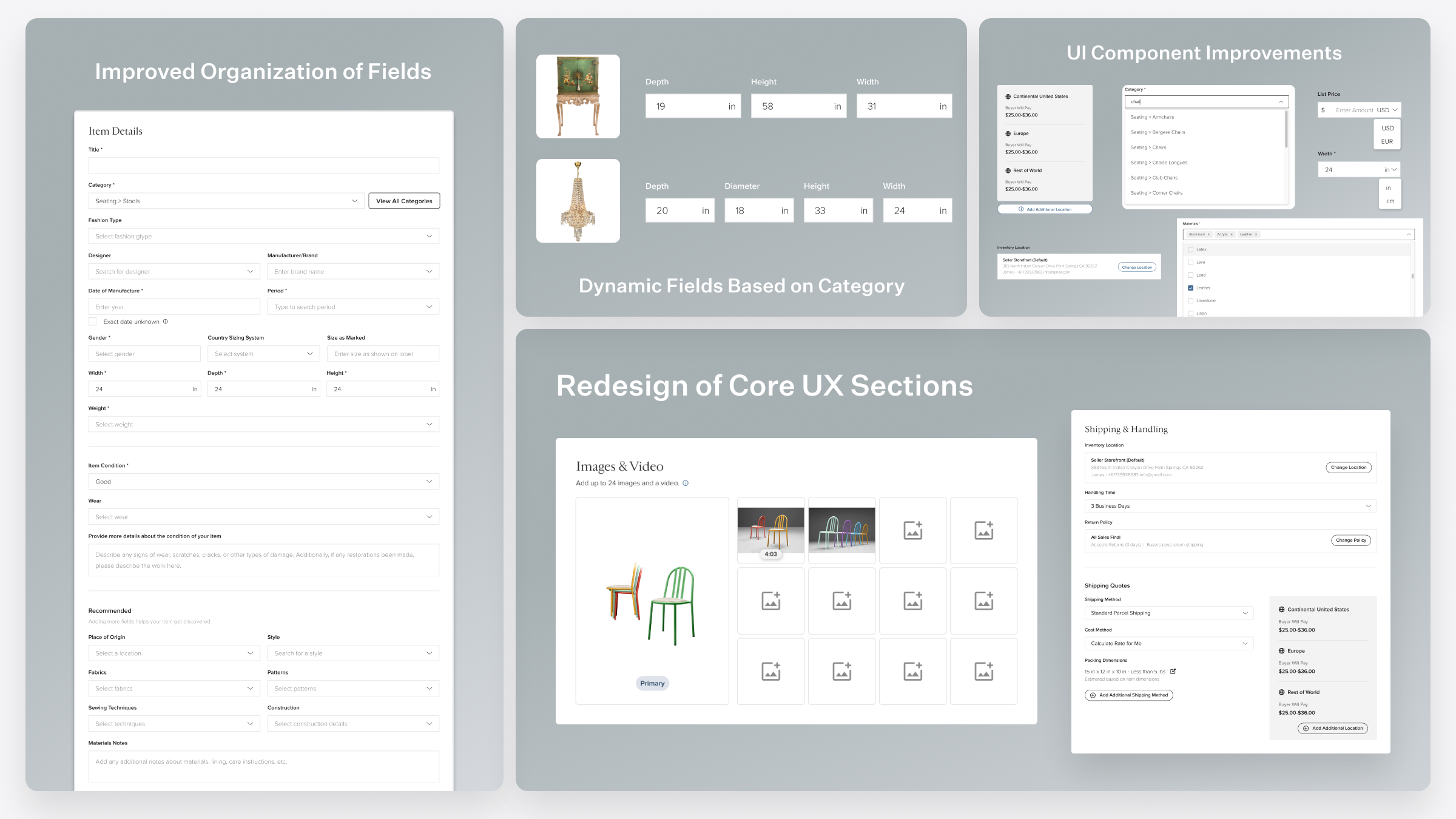
A core focus of the redesign was improving the fundamental UX of the item upload flow. We reorganized form fields into a more intuitive order, introduced dynamic fields based on category selection, and redesigned core sections like Images & Video and Shipping & Handling. These changes addressed the most common seller complaints about the upload process being overwhelming and time-consuming.
AI Improvements
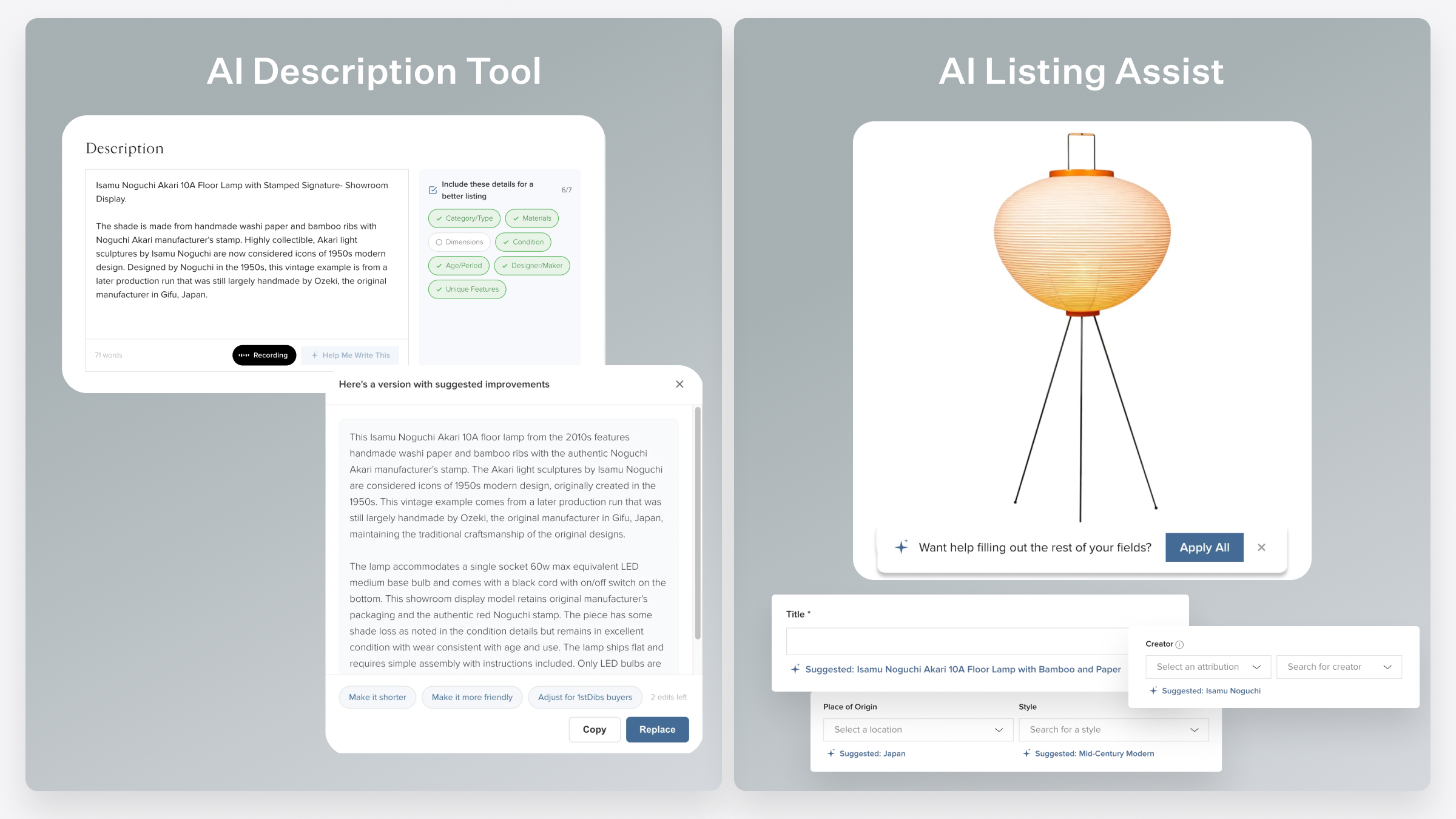
A key challenge was making AI feel like a helpful tool rather than an intrusive presence. We designed two AI-powered features — the AI Description Tool and AI Listing Assist — to augment the seller's workflow without replacing their expertise. The description tool helps sellers write more complete, buyer-friendly descriptions while the listing assist uses image recognition to suggest field values, letting sellers accept suggestions with a single click.
The New Design Workflow: Figma -> Claude Code
I spent a large portion of this project exploring how to incorporate Claude Code into my design process. I started this project with my usual workflow of mocking up the basic structure of the page using Figma. Once the design was in a relatively stable state, I began to prototype the design using Claude Code in the browser.
I was blown away with how quickly I was able to get a working prototype. What would have taken me weeks to prototype in Figma took me a matter of days. In addition to being able to prototype the UI changes, I was also able to start introducing functionality to the prototype like Image Upload, dynamic state management, and eventually a POC using Claude API to create actual suggestions.
The big unlock was realizing how quickly I would be able to collect feedback for my designs with this new prototype. Because this prototype was lived in the browser (deployed by Vercel), I was able to quickly pass around the prototype link internally and eventually sellers. The process of collecting feedback (ie "We should move the category field here") and being able to instantly update the prototype in response was seamlessly dynamic.
As the first designer incorporating this workflow, I spent a lot of time in the following months sharing my process and learnings with the design and larger product team. I'm confident as more and more people use this process, we'll be able to move faster as a product org to design, validate, and ship valuable improvements for our sellers.